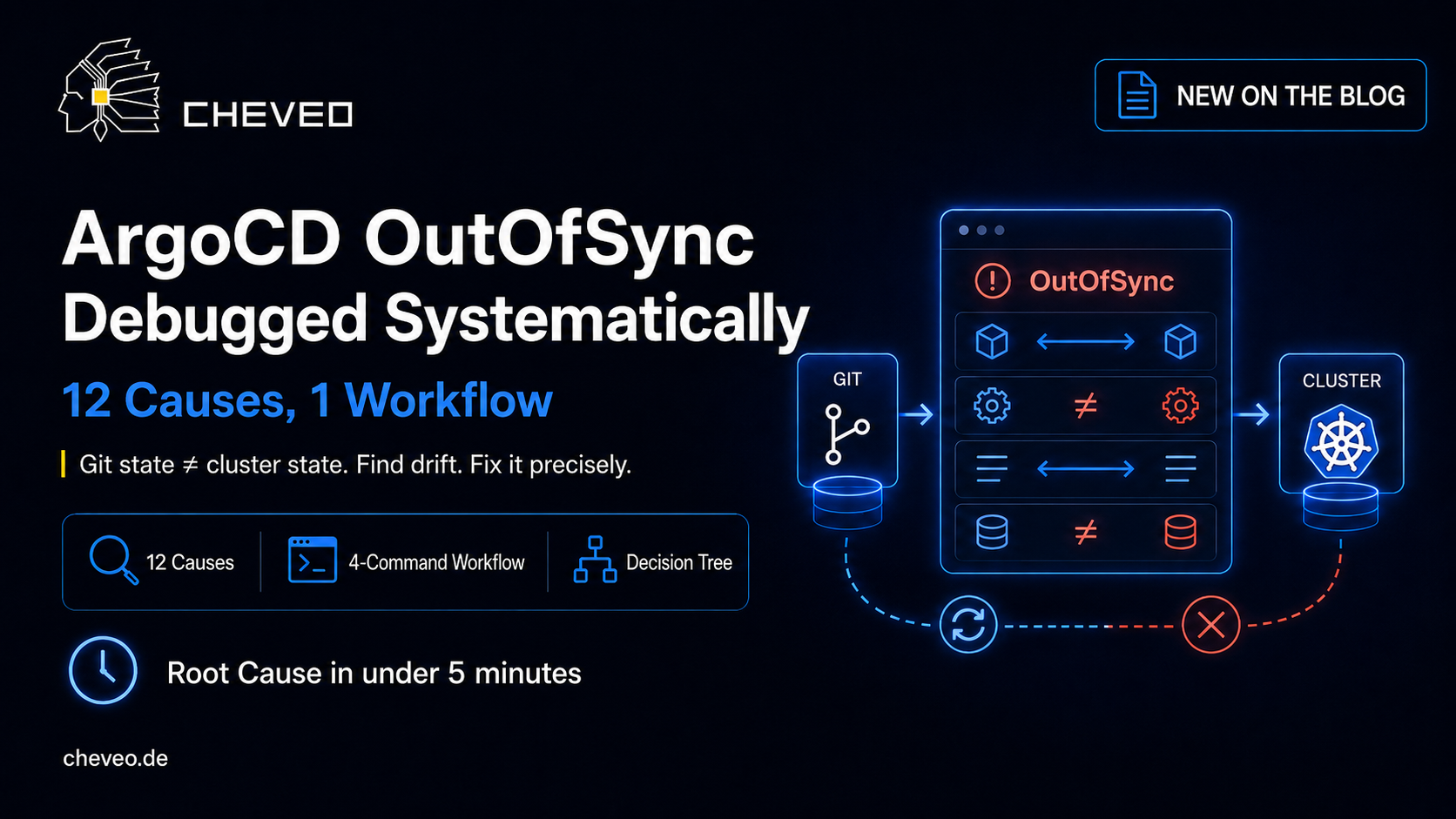
ArgoCD OutOfSync Debugging: 12 Causes, 1 Workflow
OutOfSync is the most common ArgoCD problem. 12 causes with argocd commands, real outputs, and a decision tree that finds every cause in under 5 minutes.

TL;DR — OutOfSync means Git state ≠ cluster state. It’s not an error, it’s the normal result of any deviation. 12 causes cover 95% of all cases — from harmless server-side defaults to real drift problems. The 4-command workflow (
diff,get,logs,events) finds the cause in under 5 minutes.
🔖 Just want the YAMLs? Here’s the interactive ArgoCD OutOfSync cheatsheet — with a copy button per pattern and common mistakes. Bookmark recommended.
What OutOfSync actually means
ArgoCD compares two states at regular intervals (default: every 3 minutes):
- Desired State — what’s in your Git repository
- Live State — what’s actually running in the cluster
Any deviation between the two results in the OutOfSync status. This can mean:
- A field in a manifest was manually changed in the cluster (real drift)
- Kubernetes added a default field that’s not in your manifest (phantom diff)
- A webhook injected a label or annotation (mutation)
- The sync failed and the cluster has the old state
The difficulty: ArgoCD doesn’t distinguish between “dangerous drift” and “harmless default.” Both are OutOfSync. You have to.
The 4-command workflow
Regardless of cause — these four commands always run first.
Step 1: Show the diff
argocd app diff <app-name>Shows exactly which fields differ between Git and cluster. This is the most important command. If you only know one: this one.
Typical output for server-side defaults:
===== apps/Deployment default/api-server =====
--- desired
+++ live
@@ -18,6 +18,8 @@
   spec:
     containers:
     - name: api
+      terminationMessagePath: /dev/termination-log
+      terminationMessagePolicy: File
       image: registry.example.com/api:v1.2.3
+    dnsPolicy: ClusterFirst
+    schedulerName: default-scheduler
See fields like terminationMessagePath, dnsPolicy, schedulerName? Those are Kubernetes defaults that the API server sets automatically. Your manifest is correct — Kubernetes just fills in the blanks.
Step 2: Check app status
argocd app get <app-name>Shows the overall status: Sync Status, Health Status, last sync operation, and which resources are affected.
Name:               default/api-server
Sync Status:        OutOfSync
Health Status:      Healthy
Last Sync:          2026-05-25 10:15:03 +0200 CEST (ComparedTo)
Sync Resources:     3 out of sync
Key insight: Healthy + OutOfSync usually means harmless diffs. Degraded + OutOfSync is a real problem.
Step 3: Check controller logs
kubectl logs -n argocd -l app.kubernetes.io/name=argocd-application-controller --tail=50Shows sync errors, RBAC issues, and timeouts that aren’t visible in the UI.
Step 4: Check events
kubectl get events -n <target-namespace> --sort-by=.lastTimestamp | tail -20Shows Kubernetes events triggered by the sync: failed deployments, admission webhook rejections, quota limits.
The 12 most common causes
1. Server-side defaults
Symptom: OutOfSync on fields you never set (terminationMessagePath, dnsPolicy, schedulerName, revisionHistoryLimit).
Cause: The Kubernetes API server fills in default values when creating a resource. Your manifest doesn’t have these fields, the live state does. ArgoCD sees a difference.
Fix:
# In the Application spec:
spec:
  ignoreDifferences:
    - group: apps
      kind: Deployment
      jsonPointers:
        - /spec/template/spec/dnsPolicy
        - /spec/template/spec/schedulerName
        - /spec/revisionHistoryLimit
Or globally for the entire cluster (ArgoCD 2.5+):
# argocd-cm ConfigMap:
resource.customizations.ignoreDifferences.apps_Deployment: |
  jsonPointers:
    - /spec/template/spec/dnsPolicy
    - /spec/template/spec/schedulerName
2. Mutating webhooks
Symptom: OutOfSync on labels, annotations, or entire containers you didn’t define (e.g., sidecar.istio.io/inject, Linkerd proxy container).
Cause: A mutating admission webhook (Istio, Linkerd, Vault Agent, OPA Gatekeeper) modifies the resource after apply. Git doesn’t know about the injected sidecar → diff.
Fix: ignoreDifferences for the specific paths:
spec:
  ignoreDifferences:
    - group: apps
      kind: Deployment
      jqPathExpressions:
        - .spec.template.metadata.annotations."sidecar.istio.io/status"
        - .spec.template.spec.initContainers[] | select(.name == "istio-init")
        - .spec.template.spec.containers[] | select(.name == "istio-proxy")
3. Helm template vs. Helm install
Symptom: OutOfSync on Helm charts, even though helm install works locally.
Cause: ArgoCD uses helm template (client-side), not helm install (server-side). helm template has no cluster access — .Capabilities.APIVersions, lookup functions, and server-side hooks don’t work or return different results.
Diagnosis:
# Compare locally what ArgoCD sees:
helm template <release> <chart> --values values.yaml > /tmp/argocd-view.yaml
# vs. what helm install produces:
helm install <release> <chart> --values values.yaml --dry-run > /tmp/helm-view.yaml
diff /tmp/argocd-view.yaml /tmp/helm-view.yaml
Fix: Avoid lookup and .Capabilities in templates, or set ApiVersions in the ArgoCD Application spec:
spec:
  source:
    helm:
      apiVersions:
        - monitoring.coreos.com/v1
4. Immutable fields
Symptom: Sync fails with field is immutable — not just OutOfSync, but SyncFailed.
Cause: Kubernetes doesn’t allow changes to certain fields after creation: spec.selector.matchLabels on Deployments, spec.clusterIP on Services, spec.volumeName on PVCs.
Fix: The resource must be deleted and recreated. In ArgoCD:
argocd app sync <app-name> --resource <group>/<kind>/<name> --replaceOr safer: sync with replace annotation:
metadata:
  annotations:
    argocd.argoproj.io/sync-options: Replace=true
5. RBAC / permission errors
Symptom: OutOfSync, sync attempt fails with forbidden in the controller log.
Cause: The ArgoCD Application Controller doesn’t have the necessary cluster permissions to create or modify the resource.
Diagnosis:
kubectl logs -n argocd -l app.kubernetes.io/name=argocd-application-controller --tail=100 | grep -i "forbidden\|unauthorized"Fix: Extend the ArgoCD service account’s ClusterRole/RoleBinding, or whitelist the missing API groups in the ArgoCD Project.
6. Missing namespace
Symptom: OutOfSync with namespace not found in the sync log.
Cause: The manifest references a namespace that doesn’t exist yet and the Application doesn’t have automatic namespace creation enabled.
Fix: Set CreateNamespace=true in the ArgoCD Application spec. ArgoCD will then automatically create the namespace during sync. Since ArgoCD 2.7+, you can also set labels and annotations for the namespace via managedNamespaceMetadata — a separate Namespace manifest is no longer needed:
spec:
  syncPolicy:
    syncOptions:
      - CreateNamespace=true
    managedNamespaceMetadata:
      labels:
        team: platform
        env: production
      annotations:
        owner: platform-team
  destination:
    namespace: my-app
If you still want to manage the namespace manually (e.g., for complex RBAC setups), you can include it as its own resource with a sync wave:
apiVersion: v1
kind: Namespace
metadata:
  name: my-app
  annotations:
argocd.argoproj.io/sync-wave: "-1"GitOps with ArgoCD - from push to production deploy
From the App-of-Apps pattern to progressive delivery: everything you need for GitOps in production.
View workshop details7. Resource quota exceeded
Symptom: OutOfSync + exceeded quota in events.
Cause: The namespace has a ResourceQuota and the sync operation would exceed the limit.
Diagnosis:
kubectl describe resourcequota -n <namespace>
kubectl get events -n <namespace> | grep -i quota
Fix: Either increase the quota or adjust the resource requests/limits in the manifest.
8. Kustomize build errors
Symptom: OutOfSync + kustomize build error in the controller log.
Cause: The Kustomize overlay has an error — missing base, invalid patch, incompatible API versions.
Diagnosis:
# Test locally:
kustomize build overlays/production/
Fix: Fix the Kustomize error. Most common cause: relative paths in kustomization.yaml that don’t resolve in the ArgoCD context (which clones the repo to /tmp).
9. Finalizer blocking deletion
Symptom: OutOfSync on a resource that should be deleted. Resource stays with status Terminating.
Cause: A finalizer on the resource prevents deletion because the associated controller is no longer running or unreachable.
Diagnosis:
kubectl get <resource> <name> -o jsonpath='{.metadata.finalizers}'Fix:
kubectl patch <resource> <name> --type merge -p '{"metadata":{"finalizers":null}}'10. Sync loop (auto-sync + phantom diff)
Symptom: ArgoCD syncs every 3 minutes, status alternates between Synced and OutOfSync, application controller logs show constant sync operations.
Cause: Auto-sync is enabled. Every sync immediately produces OutOfSync again due to server-side defaults or webhooks. ArgoCD syncs again. Loop.
Diagnosis:
argocd app get <app-name> --show-operation
# Shows recent sync operations with timestamps
Fix: ignoreDifferences for the causing fields (cause 1 or 2), or enable server-side diff:
# argocd-cm ConfigMap:
application.resourceTrackingMethod: annotation+label
controller.diff.server.side: "true"
11. Git repository unreachable
Symptom: OutOfSync + ComparisonError + failed to load initial state of resource in the app status.
Cause: ArgoCD can no longer reach the Git repository — expired credentials, rotated SSH key, network issue.
Diagnosis:
argocd repo list
argocd repo get <repo-url>
kubectl logs -n argocd -l app.kubernetes.io/name=argocd-repo-server --tail=50
Fix: Update repository credentials:
argocd repo add <url> --username <user> --password <token>12. Stale cache
Symptom: OutOfSync disappears after hard refresh but returns after the next sync cycle. Or: changes in Git are not detected.
Cause: The ArgoCD repo server caches cloned repositories. With large repos or many branches, the cache can become stale.
Fix:
# Soft refresh (re-compare without cache invalidation):
argocd app get <app-name> --refresh

# Hard refresh (fully invalidate cache):
argocd app get <app-name> --hard-refresh
If the problem persists, restart the repo server:
kubectl rollout restart deployment argocd-repo-server -n argocdServer-side diff: the nuclear option
Starting with ArgoCD 2.5+, you can enable server-side diff. Instead of running helm template locally, ArgoCD sends the manifest to the API server with kubectl diff --server-side. The server applies defaults and webhooks before comparison. Result: 80% fewer phantom diffs.
# argocd-cm ConfigMap:
controller.diff.server.side: "true"
Caution: Server-side diff requires that the ArgoCD service account has PATCH permissions on all managed resources. Check your RBAC before enabling this.
Decision tree: quick diagnosis
OutOfSync
├── argocd app diff shows only default fields?
│   └── Yes → Cause 1 (server-side defaults) or 2 (webhooks)
│        → configure ignoreDifferences
├── Sync attempt fails?
│   ├── "field is immutable" → Cause 4 → Replace sync
│   ├── "forbidden" → Cause 5 → Check RBAC
│   ├── "namespace not found" → Cause 6 → CreateNamespace=true
│   ├── "exceeded quota" → Cause 7 → Adjust quota
│   └── Kustomize/Helm error → Cause 3 or 8 → Test locally
├── Resource stuck in Terminating?
│   └── Cause 9 → Remove finalizer
├── Sync loop (constant re-sync)?
│   └── Cause 10 → ignoreDifferences or server-side diff
├── ComparisonError?
│   └── Cause 11 → Check repo credentials
└── Hard refresh fixes it temporarily?
    └── Cause 12 → Restart repo server
Where to go from here
In the GitOps with ArgoCD Workshop we build a complete ArgoCD setup including App-of-Apps pattern, Sealed Secrets, and drift detection — and intentionally break syncs so you can apply the patterns from this article under guidance.
Related from our series:
- kubectl Debugging Cheatsheet — 12 commands for any pod issue
- NetworkPolicy Cheatsheet — 12 copy-paste patterns
- CrashLoopBackOff Systematically Fixed — 7 causes, 1 workflow
GitOps with ArgoCD - from push to production deploy
From the App-of-Apps pattern to progressive delivery: everything you need for GitOps in production.
View workshop detailsKeep reading
kubectl Debugging Cheatsheet: 12 Commands for Production Incidents
Structured debugging workflow for Kubernetes in production: 12 kubectl commands in the right order - from pod status to ephemeral debug containers.
8 min
Kubernetes NetworkPolicy Cheatsheet: 12 Copy-Paste Patterns
NetworkPolicies are powerful but confusing. 12 production-ready YAML patterns for ingress, egress, namespace isolation and monitoring. Including the AND-vs-OR trap.
11 minNeed a second opinion on your cluster?
Book a free 30-minute Kubernetes health check. We review your setup and give concrete recommendations, no sales pitch.
Book a slot